Showing posts with label Upgrades. Show all posts

Sunday, October 19, 2014

Home Improvement: the Easiest, Cheapest Upgrade that You Never Get Around to (Shower Heads)

Ugh. . .we were taking showers through that!

Here at Chez Greenlee, we've put a lot of money and effort into upgrading the joint. Initially, it was due to a renewed pride of ownership after a seeming eternity upside-down. Back in the black, we thought we needed to freshen the place, and make it a more happy place. We finished some time in the spring.

Better!
But this fall, we made a decision that we're finally going to start planning for a future move. That move could be anywhere from months to years away, but we want to be ready. So, we started looking room-by-room, for things that need fixing. Outlets that don't work. Grout that needs cleaned and sealed. Paint that needs patching. Doorknobs that need replacing. A water softener so that all of our lovely sinks, faucets and appliances don't get crusty. And showerheads. Because they're already crusty.

Also better!
I've been meaning to replace them both for years, and especially meant to during our recent renovations. But we just--for some reason--never got around to it. Today, I went and bought a couple at Home Depot. I didn't want to go nuts, since we won't be in the house for all that much longer. So, we got one for the guest bath for $20, one for the master for $35. One's a Water Pik, the other a Delta. Both installed with little effort. If you can work a wrench, you've got it. It's the cheapest, easiest upgrade you can do, and almost everyone gets by with the crap ones the builder put in!

Here's the embarrassing part: those old crusties that you're used to? When you have guests, they see them. Up close, when they're showering. I know, because I've seen them at others' houses! Rusty, limey, yucky showerheads. I was once one of you! No more! And I tell ya, if and when we get a new house, if those ones are crusty too? Out they go, first couple of days.


Wednesday, March 12, 2014

Warning to Computer Users: Windows XP Being Put Out to Pasture

If you have an older computer, it's almost for certain that it's running Windows XP. Am I right? Maybe Vista, if your machine is really ancient, 98 or Me, but most likely, it's XP. And your frugalness is about to come to an end. Microsoft plans to stop releasing updates to the program in a few weeks, which will leave your computer vulnerable to viruses, malware and your basic nuclear annihilation.

People are already starting to stamp their feet about it. How dare they! Don't they know a huge chunk of computer users still have Windows XP? Yeah. But how long were they really supposed to support the thing? It came out in 2001 you guys. Actually, just a couple of weeks before September 11, 2001. The whole Bush administration and five years of the Obama administration have happened in that time. Were we supposed to get hip-deep into the Clinton (or, shudder, Cruze) administration before they pushed it into its grave?

The fact is, Apple stops supporting its products after just a few years. Microsoft's alone in supporting what amounts to ancient software in computer years. But I'm in the same boat. Though our home systems have Windows 7, Windows 8.1 and OSX Mavericks, at work we must have seven or eight XP machines. After the 2008 financial collapse, we didn't upgrade much. To make matters worse, our software upgrades pretty much stopped with our hardware. . .and the old stuff doesn't run well on new machines! So, we're going to (finally) have some decisions to make.

You've been warned!

[Excerpt]

Microsoft to Take Windows XP Off Life Support Despite Its 29% Market Share

Change: It’s inevitable in and of itself, and it’s inevitable that some people don’t like it. Ars Technica cites a report from Net Market Share contending that Microsoft’s almost-13-year-old operating system, Windows XP, can still be found on almost 30% of computers that connect to the Internet. . .

Read more at: Time

Monday, October 21, 2013

Blast from the Past: Microsoft Upgrade Blues!

I've got Microsoft on the brain. Why? Because I'm what they call an "early adopter." I like the newest, best, most up to date everything, as long as I can afford it. That means, I want updates! Upgrades! And I--like Veruca Salt of Willy Wonka--want it now!

But do you know what happens when what you want is too new for general release, and you download the alpha/beta/preview version? Well, it can mean problems. And it can mean that they might not spell out the problems, or that you--in your excitement for the new thing--might just miss
the thing you should've seen. To make this all a little bit worse (and embarrassing), I've done this before.

What happens is you download the new Windows preview version, and mostly you're happy. It's a shiny, happy, clean install, and exploring is fun! Then you find out. . . whoops! This temporary preview will have to expire at some point, and the real version will have to be installed. And it can't just upgrade, no, no. It has to wipe out the old installation. You'll have to reload all of your programs! And your files may or may not stick around (at worst they could disappear, at best they could move to a different location). I made this mistake with Windows 7 (moving from Windows Vista), and now with Windows 8.1.

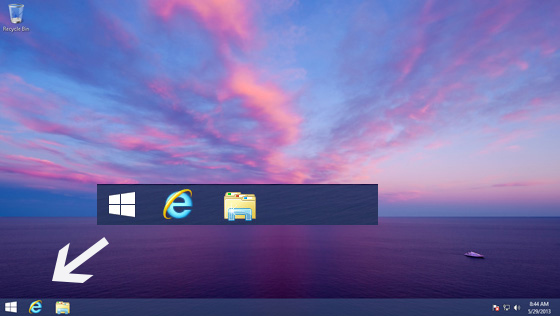
In all, it's really not that bad. I've got to put back all my programs, tweak a few settings, move a few files, and the hardest part, get my work files external drive back online where it belongs. Once that is done, everything should be back to normal, and my computer should be better than before, with the kinks all ironed out. But there will be cussing in the meantime. And if you're wondering, yes the Start button is back, it's just a bit different.


And, joy of joys, there will be updates to both Apple's OS X (Mavericks) and Android (Jellybean 4.3)very soon too! So, more learning curve on all of my devices. Fortunately, I've never rooted my phone, nor have I tried to get under the hood of my Mac. So those experiences should be a little smoother. Happy Monday, everyone!

PS: Several "glitches" were encountered in my upgrade process: 1) The Windows Store wouldn't load three times in a row; 2) The Windows Store shows no obvious place to get the upgrade, I had to find the link on Microsoft.com; 3) Once I got my download started, there was no obvious place that said it was in the process of downloading; 4) Upon starting for the first time, Windows lost my sound, utterly; 5) Even after going to find the driver for my sound card, Windows lost it again after restarting--I'm still not sure it has permanently "stuck." So, thanks Obama! I guess since Windows 8.1 has glitches on rollout, it should be repealed immediately!!!

UPDATED TO ADD: Windows 8.1 seems to be working just great after initial issues were solved. I put all the apps back, got my settings tweaked to where I want them, and all is (seemingly) well. Even some issues that were cropping up before my upgrade have "healed themselves," and are working just fine. I'm happy to say that except for a bit of the struggle at the beginning, this has actually been a nearly painless upgrade.

Tuesday, July 23, 2013

Back to Blogging on Tuesday Night!

It's been a pretty spotty summer--particularly July--here at Greenlee Gazette. I know, and I'm sorry. But for most of the next six days, The Other Half will be away. And my struggles with computer upgrades (particularly Windows 8--oy!) will be down to a dull roar. It's taken all of my Monday time though, so I'm just going to leave you with this Maru video to tide you over. Back soon!


Progress Report: Computer Transition Under Way

The goal: a) Get new computer up to snuff as a blogging and graphics machine, b) Convert my old computer to The Other Half's computer, c) make sure we both have everything we want from the old machines without needlessly cluttering our new ones.

I'm at least halfway done, with each computer in its proper place (the Other Half's old one is presently set up on the coffee table until it is put to pasture). Files are partly backed up, but not moved off of the external device. And I discovered the pleasure of multi-screens!!!

One of these days. . .
But I've gotten too excited too quickly. I started with an older, non-widescreen flat panel from the closet, next to my huge 27" monitor. And it works pretty great! But that old monitor is not particularly clear, and not particularly attractive. The extended display space is really, really nifty. So, I thought, why not get the older 22" from the Other Half's old computer? Great idea. It's big, it should be just the ticket.

Unlucky me, there is no Windows 8 driver for it. And every website that purports to have one looks extra dodgy. So, I'll either rough it with the old 19" or just stick to one panel at a time until I feel I can justify the price of a second, modern monitor. But now that I have a taste? I've got to tell you, I want it!

UPDATE: It occurs to me, that since I'm blogging this to the whole world, it couldn't hurt to put the name and model of my old monitor out there, just in case there's a techie out there who has happened by. It's an Envision G22LWk. Drop me a line if anyone has an idea how to make it work. I mean, I've gotten several other, supposedly incompatible things to work!

Wednesday, March 20, 2013

The Mac Experiment, Take III

This was too common a
sight on my G4.
Over the course of this blog, I've recounted my experiment with branching out from my known world as a PC guru and graphic artist, into the Apple Macintosh realm. I know this sounds counter to how most computer artists have done things, but there are a bunch of us out here who grew up with PCs rather than Macs, particularly in the sign, engraving and embroidery industries. So, in August of 2010, when it was time to replace our wheezing old laptop (which functioned as our mobile, spare computer) I decided it was time to dip a toe into the iUniverse.

My first Mac was a PowerBook G4, a 2005 model. Though a five-year-old PC is a rather common thing to find in offices and dens everywhere, I soon found out that Apple expects you to upgrade by then. They had abandoned support and upgrades for the computer by the time I got it. And small wonder, the PowerBook--even maxed out for memory--was unusably slow, and just got slower as it aged. In those early days though, I familiarized myself with Adobe CS3 graphics suite, and forced myself to take and make lessons for myself.
Screen on my old MBP wigging out.

In the waning days of 2011, I'd had enough. Though the G4 had been top-of-the-line when new, a bargain basement PC of the same vintage would have run circles around it. So, I sold it (along with our old portable PC and some unused software), and bought a newer MacBook Pro on eBay. The difference was immense, and I really dug the new MBP, even though it had some cosmetic flaws. I continued with lessons (now on Adobe CS5.5), and ended up using the thing a heck of a lot more on a daily basis, even though my "real" computer is still my desktop PC. But my happy world was about to be rocked. Yes, as luck would have it, my MBP was one of a series with a defective graphics card, which went on the fritz about 10 weeks after Apple stopped willingly fixing them!

The new(ish) MacBook Pro
Faced with a $550 repair of my now almost five-year-old MBP, I hit eBay again, and this time got a 2009 MacBook Pro. This one is a refurbished model, and it came with all of the goodies (this time Adobe CS6). I'm prepping and boxing up the dying older model, and selling it for parts this weekend. I'm typing this blog post on the new one, and I've got to say, I'm grinning while I do. Don't worry, the Cult of Mac hasn't got me yet. But this system looks and feels brand new (and let's face it, it is four years newer than my first one, even if it's 3.5 years old itself), and also feels like a substantial upgrade, even if it's the same line of computers.

So, this is my third used Macintosh in the space of less than two-and-one-half years. I can't be sure that this one won't croak on me too at some point. And in that regard, I have to say that the luster is off the Apple for me. Problem-free, my eye! But I'm feeling that I now have to step up my game. Even considering the cost that repairs would have run me, and the potential cash back I'll get for selling the broken one, this computer was pricey. I can rationalize it by comparing the cost to a new MacBook Pro (boy howdy), but I think I need to step up my lessons again. Fortunately, it also came with Parallels and Windows 7, letting me toggle between Mac and PC! So, I have very little excuse for not being able to get my work done on this beauty.

By the way, I did the math, and this is my eleventh computer, including a generic 486DX, Pentium I, Pentium II, Pentium 4, Pentium 4D, Core2Duo, i5 [all PCs]; a Celeron PC laptop; and the three Macs from this article. Presently, four of them are still in use! But one is on its way out the door. [08/01/13 update] I've added another computer (my 12th) to the mix, a Windows 8 computer with an AMD something-or-other chip. It's zippy, but confusing. My third Mac is still chugging, still doing well, still used every day. But potentially threatened by the odd desire for an iPad. I sold the Pentium 4 to my boss' company, and the 4D is now going out the door.

Friday, March 15, 2013

Car Upgrade: Pioneer AVH-X2500BT Media Center

I just paid off my three-year loan on my 2009 Mitsubishi Galant. I bought it as a 1-year-old used car to replace my very aged 1998 Jeep Wrangler, which I'd owned for 9 years. My goal with this car is to keep it for nearly as long, to remain car-payment-free for as long as I can, or at least before non-warranty repairs start becoming annoying and expensive.

Photo of the X2500BT from Pioneer's page
The problem with keeping a car for a long time is that you get bored with it. It starts to look out of date and old, even if you take care of it. And you start to get new car lust. Not only do newer cars start to look sexy, but you start to notice the new features and toys available in newer cars that yours just doesn't have. With my Jeep, I had no air conditioning, no power windows or locks, no extra goodies whatsoever. I'd forestalled new car lust for a while by buying an MP3/CD player to replace the factory audio, but true to its nature, the Jeep just didn't have much "extra."

This is what Mitsubishi supplies
with higher end Galants. Mine
doesn't have the pop-up section.
But note the silver lower part.
That's why my seemingly pedestrian, boring family sedan purchase felt like buying a Lexus to me. Even in the basic "ES" trim, the car felt cushy by comparison. The automatic transmission was a pleasure after driving stick for so long. I had power windows and locks. All I lost was the convertible aspect, but I'd had enough of it, actually. What the car didn't have that later cars started to feature was traction control, bluetooth, back-up camera, USB-input, or any other kind of input besides CDs.

I actually started the "love your car" project when I still had eight months to go on the loan. The main aesthetic drawback to the design of my car was always the headlights. Though my car had been refreshed and updated from its 2003 design, they left the big honking headlights through each facelift the design received. It probably wouldn't bother most people, but it bugged me. So, I purchased "eyelids" for the car, and I think it vastly improved the car's appearance. The next step--which I stipulated only would happen after the payoff--was a new car stereo with all the goodies.

This is how it looks in my car.
Note the boring flat black.
I'll back up, and admit that I even prepared for this eventuality by purchasing a dash kit for the new, larger stereo. My car's dash--like most newer cars--had a dash insert that encompassed not just the stereo, but the climate controls. So, you need a kit that replaces the face of all that. Buying one in advance saves you the hassle and delay of having the retailer order one. There are only a couple of companies that make the kit, and they are decidedly low-frills. More on that in a bit. But anyway, I had that ready to go, and after some research headed off to Fry's Electronics to purchase the unit I had my eye on, which happened to be on sale.

The head unit I decided upon was the Pioneer AVH-X2500BT, a mid-range model from their DVD double DIN (that means double height) series. I didn't need a navigation system--having one in my phone and rarely needing it--and wasn't interested in HD radio. But, I figured, if I'm going to have a
display screen, I might as well get a back-up camera with it. This, of course, increases the installation price, but it all gets done at once. I opted for a $30 mounted camera, which seemed like the way to go. You can find them cheaper, but Fry's alternative was a license plate-mounted one which was much more expensive. Anyway, the difference in ability was minimal, so I just got the permanently mounted one.

One thing I'm learning about modern stereo/multi-function devices like this, is that they are not particularly user friendly. I'm a techie, and even I had to look things up online and in the manual, and discover just by trial and error. The Other Half recently bought a new car, which also has a Pioneer stereo, but it's single DIN, with a less advanced display. That one is very tricky and counter-intuitive. The X2500 is much easier to figure out. I was able to change the overall color scheme to match my dashboard lights (orange), change the background image, pair my phone with the bluetooth, set my radio stations and--most importantly to me on this project--attach my 64 GB USB drive, loaded with music!

I'd already made a 32 GB USB drive for The Other Half for his new car. I spent 10 hours or so paring down our massive music collection into individual folders (both by artist, and with some hodgepodge 60s/70s/80s/90s/00s groupings). What I'd discovered then, and forgotten how to do, was how to get the stereo to understand the proper order of the drive. It would seem that the default setup for these things is to group the music folders by date created. That would be the date that the folders and/or music was digitized in the first place. I copied the original drive on the new 64 GB drive, and discovered that  Taco - After Eight was my de facto first folder, period. Everything flowed after that, some in alphabetical order (because I'd apparently created them that way), and some in random order. It was a mess.

It comes with a remote, but
it's pretty pointless in
a sedan.

After a few fruitless Google searches, I found the secret. There is a simple program out there called MP3dirsorter. Find it and bookmark it. You don't even have to download it, per se. You find it online, bring it up, and it puts a window on your desktop. All you do, is access your USB drive (already loaded with music, of course), and drag the whole drive right into the window, and then wait. It will chug along, putting everything in alphabetical order, and will make your experience with your car stereo so much easier. If you add music to it later, you can just repeat the process. My 32 GB of music took just a few minutes.

The X2500 does not have front-panel access to the auxiliary ports, which as it turns out, is preferable, but be sure to pay attention if you're not installing it yourself. The unit has inputs available on the rear for a standard input (earphone jack size), USB, and iPhone (USB, but for use with a special, optional cable). This frees up your dash from having wires or drives sticking out of it, and puts the connection in your glove box or console. You have to specify where you want the connection to be, but you also have to specify how many connections you want. I asked for the USB, but didn't think to ask for the AUX. It's really okay, I don't need it, but you might want it.

A drawback to the X2500 is that it is iPhone/iPod-centric, but this is true of most advanced audio equipment, and even some low-end stuff. Attention electronics makers! Not everyone has Apple products! *Ahem* But even that issue is okay, it just makes some of the additional features of the unit beside the point. I am still able to listen to audio content on my phone through the unit with no problem at all. It also has Pandora built in, and takes no extra effort to use. It's awesome.

My next object of lust.
I haven't yet tried a DVD in the unit, and doubt that I'll really ever need that. I also haven't encountered a problem with the Nevada state-required law that has some features disabled unless your emergency brake is set.  Apparently, you have to double-set the brake in order to get some functions to cooperate, to make absolutely sure that you're sitting still. Also, after trial and error, I've discovered that I need to put the car into reverse, into neutral, and back into reverse in order to get the backup camera to show the measurement grid overlaid on the image.

Since Mitsubishi designed the dash to have the radio rather low in the center stack, placement of the backup image isn't optimal. Their plan (for their higher trim levels) was a screen at the top of the stack, but aftermarket units won't fit there. Fine with me, I think it would look rather clunky, as you can see. It just leaves me with a clock where my rudimentary radio display used to be, and an odd "E-Comm" message. I'm sure I'll get used to the placement.

Anyway, I'm very pleased with my purchase. Every time I've gotten out of the car since it was installed, I've got a smile on my face. I must've said, "have I mentioned how much I love my stereo?" a dozen times. I am very satisfied, and I'm now immune to new car lust, at least for the time being. The only thing I still want to buy to complete my car is a rear deck spoiler, to make the car look a little more sporty. Probably later this year. In the mean time, I'm set!


Pros
Cons
Attractive
Will not look like it came with the car
No delay when changing songs
Menus for large USB drive is sluggish (not surprising)
Bluetooth setup almost effortless
Non-intuitive setup for non-techies
Remembers what you were listening to last, even through blutooth.
No off button! Buttons not identifiable by touch.
Smooth, non-cluttered appearance
No volume knob (no knobs at all)
Sounds better than base factory stereo
Overwhelms factory speakers (duh)
Offers multiple choices for music, only limited by the size of input device
The listing order of the tracks on USB/MP3 drive requires special software
Bluetooth phone makes answering and calling legal!
Bluetooth phone requires that a visible microphone be installed
Multi-color programmable display lets you match your dashboard lights or set your own style
Animated wallpaper choices are limited, and curiously the animation is mostly obscured by album art icons

My added touch.
Now, a word about the dash kits. You can find them on Amazon or eBay, and there are basically just two manufacturers to choose from. There doesn't seem to be a radical difference between them, and they're not very expensive. But you'll need to be satisfied with a fairly bland looking end result, and hope that the "wow!" factor of the stereo erases the "meh" of the dash. With my car, I had to go from silver to matte black. A supplied little bezel/gasket snaps in around the unit, and it is flimsy and warped. It doesn't seat well, and just looks cheesy to me. Since I work in a sign shop, I may try to design something that obscures it a little. If I do, I'll upload it to the blog. Maybe there's a market for dressing these things up a little.

UPDATE: Tired of the look of the dash kit, I designed a simple fix at the sign shop. I matched the existing silver dash front to a satin silver applique (a plastic material used to make raised text on signs), and used it to make a frame. Because the Mitsubishi has a compound-curve and rotary knobs incorporated into the center stack, I needed to keep the design limited to the area around the head unit. So, I measured the maximum flat area, measured the opening (approximating the radius corners around the unit), then brought my dimensions in by 1/64" so that it wouldn't be too tight of a fit. The finished look isn't amazing or anything, but I think it looks better. If I had it to do again, I would have taken my cut piece of applique, and lightly sanded all of the edges with a fine-grit sandpaper, to blunt the edges. Otherwise, I'm happy with it. Every town has a sign shop, and a piece of applique shouldn't be too expensive. It's an idea if you hate the look of your after-market stereo!

Thursday, September 29, 2011

Facebook Users Are About to Go Insane

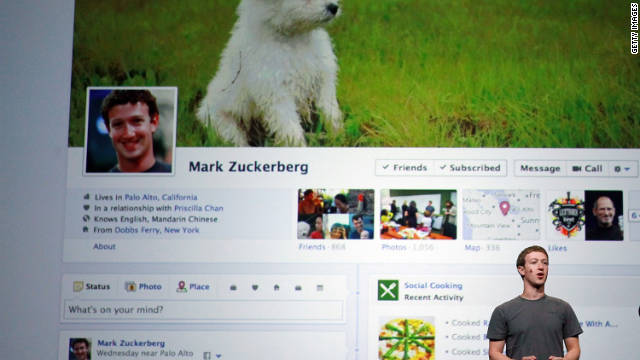
Image from source, CNN
Of all the social media platforms, Facebook is the only one I feel I "get." LinkedIn is really new to me, but I understand that it's sort of a business Facebook. Twitter gets me excited when there is a live event like a debate or the Emmys. It's fun to read the real-time comments. But most of the time, I don't know what to do with Twitter. I apparently still have an account at MySpace, but I never figured out what to do with it, and now it is kind of pointless.

I'm actually amazed how many people get flustered or confused about Facebook. I think it's ridiculously easy to grasp. And every time they've made a change to the interface, the users have screamed bloody murder. Then they get used to it, and it becomes the new normal. But now, the Facebook users are about to be greeted by a radically different interface. And they're going to crap themselves over this one. Until they get used to it.

My viewpoint is, change is good. If it isn't good, it will revert, or become something else. If it doesn't change, one day it will look as ugly and dated as Prodigy, The Drudge Report and Free Republic.


[Excerpt]

You'll freak when you see the new Facebook

Facebook users, mark my words: You'll revolt when the site rolls out its new features in the coming weeks.

Facebook is about to completely change the way its profile pages look as part of the website's biggest redesign so far, and only a fraction of the website's 800 million users seem to have the slightest clue. . .


Read more at: CNN


Saturday, October 24, 2009

Computer Woes: Windows 7 Arrives


This isn't so much "computer woes" as it is just a headache. It isn't exactly Microsoft's fault (or maybe it is). I downloaded the "release candidate" of Windows 7 for free this summer. That was my first mistake. Or Microsoft's. I'm still not sure.

See, the freebie download was for a limited time, meaning it eventually expires. It was also the "Ultimate" edition, which I either missed, or was not indicated. Anyway, I arranged to pre-order my "Home Premium" version, two copies, at a reduced price at the same time I did the download. It was after that purchase was final that I noticed, "Hey, this is Windows 7 Ultimate!" Oh, crap!

So, I waited for the upgrades to come. When they did, I quickly ascertained, yes I could upgrade, but only to a clean installation. Which means basically, a new operating system on a functionally new computer. But you have to reinstall all of your old programs, and backup then restore all of your files.

Mostly, it's working out fine. I'd forgotten about a program or two that I now have to sort out. I can't seem to load my old emails into AOL, but I've found a workaround for that. My biggest issue is with my two printers. Both Canon and HP offer Windows 7 drivers, but so far, they are being quite uncooperative. Sigh.

Anyway, by and large I would recommend Windows 7. It makes the computer run faster, and it's pretty snazzy. And most of you will not have gone the route that I did. Serves me right for having to be a first-adopter! Good luck with yours.

Monday, July 13, 2009

What I Did With My Sunday: Windows 7


OK, so dangle a new toy in front of me, and tell me I can have it for free, or at least sort of on a lay-away program, and you've got me by the nose. The computer I'm using was purchased on a whim, after lusting over new computers for several months. When I found a "last one" at Sam's Club for $711 (down from the high $850s), I just had to have it. The thing about this story that made it almost free was that my mom had bought new computers for my brother and sister for Christmas, and agreed to pay for $500 of the total bill. No brainer right? So, I bought it.

Of course I forgot about the hassle of getting all of my old programs onto my new computer, and making it. . .well. . .kind of exactly like what I had. Sort of. It's faster, newer, has more storage, more RAM, a 22" monitor, and it has Windows Vista Home Premium instead of the old Windows XP Home. I got my feet wet with Vista Home Basic on our notebook computer, but that's just my noodling in front of the big TV computer. I do all of my real work in my office.

So, I had to familiarize myself with Vista, and how it works. Having grown up with Windows from version 3.0, each new version brings its joys and its headaches. I'm still not quite fluent in Vista, but I don't know what so many people are complaining about either. Works just fine. But all of that is moot now, because I've taken the Windows 7 plunge.

If you haven't heard, you can download the "release candidate" version of Windows 7 for free at Microsoft's site. It won't stay free of course, but it will be for a while. And I've already pre-ordered two copies of Windows 7 Home Premium at their site as well ($49 ea., which ain't bad) for when the free versions expire. But I may have forgotten a lesson I learned when I beta tested Windows XP several years ago.

See, the download on the notebook was to upgrade the 32-Bit Home version of Vista. What I didn't find out until it was installed and running, was that the install version is Windows 7 Ultimate, the big daddy--quite expensive--version. And since I had to do the "clean" install (more on that in a minute), it can't be undone to my knowledge. When this happened with XP, I was forced to upgrade to the higher version (then XP Professional), because the lower version couldn't be done. So my newly ordered product may not work, and I may have to pony up bigger dollars. Yikes.

The thing is, I thought I'd made a mistake of some kind on the laptop, or that the clean install was the culprit. And with the tantalizing "new toy" aspect of the deal, I went ahead and installed the 64 bit version on my desktop computer as well. It turned out to be the Ultimate version too. But it doesn't tell you that until it is done. This time, though, I was able to do an ordinary install on top of my old Windows. And one of the options at startup now, is a rollback, so I'm hopeful (really, really hopeful) that it will do just that, and allow me to install Home Premium later.

That all said, I really dig the new Windows. Things I learned along the way still apply, and everything has been easy to find. I've been able to tweak things to my preferences, and all of my old programs and hardware still seem to be working. Of course it's all new, so that may turn out to only be partly true. The laptop particularly has sped up considerably, and the screen which was only passable before is beautiful now. Startups and shutdowns are faster, and the computer doesn't require constant "reminders" about just what a wireless mouse is.

Practically speaking, I can't tell you if you "need" Windows 7. It's very pretty. It's fast--that was the selling point for me--even on my old Celeron laptop. But what's with that name, anyway? Windows 3.0, 3.1 and 3.11 were named like every other program of the day. Then came Windows 95, 98, 2000 and Millennium Edition, which were bad ideas for names, because they looked silly even a year after they came out. Windows XP sounded like it was trying too hard, and Vista sounded kind of pretty. Going back to numbers seems kind of retro, but not in a cool way. I think I'd have gone for "Windows Now" or "Windows Next" or something, and just kept it there, consistently upgrading the same-named product. I don't know.

I'm sure I'll be posting on the subject again, should problems or discoveries arise. Meanwhile, if you're like me, and can't stand ignoring a new toy, I have a few pointers that might save you some time and trouble.

- If you're worried about not being able to roll back changes, and later having to pay a $300 upgrade price, skip it and wait until October when Windows 7 is released. Or, remember that the free version will work until May of next year, which is plenty of time to save.

- You will need a DVD burner (or possibly a 4Gb+ removable flash drive) to start your install. But first, you have to download the "ISO" file from Microsoft.com. Once it is done downloading, you double-click it, and your DVD burner program opens up. So if the computer you are upgrading doesn't burn DVDs, you can still download it on one that does, and burn your disc there.

- You need a clean, unburned DVD, or if you have old rewritables, have several at hand. You can erase a DVD/RW, but one of the first one I tried continually produced errors. This lead to three or four annoying aborted installs. I blanked another one, tried again, and it worked just fine. So remember, if you get "Error Code: 0x8007045D" or some such, try again with a different DVD.

- If you don't have a lot of programs installed that you care about, or if you don't mind reinstalling them, you can choose the "clean" install option, which is like buying the computer with Windows 7 already installed. Your entire old Windows folder is renamed "Windows.old", so everything remains on your computer, but the programs there mostly won't run anymore. But hey, brand-spanking-new Windows with no clutter.

- The process (even when successful) can take an hour or more, so if you need your computer, plan some time for it to do its thing. And be prepared for errors, like a program it finds that is incompatible, or the aforementioned data error on the DVD.

It isn't painless (paneless?), but this kind of thing has always been fun for me, in a tear your hair out, grumbling four-letter words sort of way. Hopefully, if you're reading this, it can ease some of that for you.

Oh, and by the way, I saw a new display of computers at Sam's Club this weekend. Better than my 6-month-old Core2Duo computer in every measurable way, including screen size. The price? $699. Unbelievable. And a great deal. But I'm not tempted. Are you?

Monday, January 19, 2009

More Computer Work, Slow Blogging


Photo from BRPoint.net

I'm not slacking tonight, I was just unable to finish my work over the weekend. We're still integrating the new computer into our home network, while trying to combine the best elements of the other older computers. I was surprised to already have to use internal parts from our oldest computer into the newest one, due to legacy components.

Anyway, I still have much work to do, and it is brain-taxing work too. So, while I might be back late for your early-morning reading, I don't think much else is going up onto the blog tonight. It's OK though, since almost everything tonight is about the inauguration, and it is very difficult to offer a new slant. So, see you later, or not. I've got work to do!

Friday, December 28, 2007

Computer Upgrades: Good News for a Change!


I found out before Christmas from the Stupid Monkey that CompUSA was going out of business. Not a huge surprise, as that sort of "big box" store was probably too specialized to survive, with all of the options people have today. Truthfully, if I need computer stuff, I generally go online, or possibly to Sam's Club or Costco. CompUSA was sort of a dinosaur (and I'll bet stores like Circuit City will soon follow).

So I got a few things before Christmas, but deliberately waited for a return trip afterward. Today, I was extremely displeased to find out that the CompUSA on my side of town was already closed. No biggie, I thought, I'll just travel up to Sahara, and shop there. 50 minutes later, after enduring hideous traffic, I made it.

I ended up purchasing a 22" widescreen monitor (Envision G22LWk, if you're interested) for just over $250. Pretty sweet! As much time as I sit behind a monitor, I figured I should have a nice one. And this one is pretty nice. I'm digging it so far. I plugged it in, and it worked immediately. If you've ever done computer upgrades, you know this is not the norm (even some of those egotistical Cult of Mac people often have problems).

The Other Half gets my old Dell 19" (non-widescreen) model, and his older Dell 17"-er goes on out to the garage, so that we have a spare. So that's it. I just wanted to share a good computer story for a change!
Related Posts Plugin for WordPress, Blogger...