Showing posts with label PC. Show all posts

Tuesday, December 6, 2016

Right Wing World: Alt-Rightspeak: New Version of Political Correctness

I've had a hard time blogging of late, mostly due to the changing ways I experience the internet itself. I find myself engaging more in social media, message boards and the like, in shorter bites, than I do sitting down to write long blog posts. But the habit has its drawbacks, not the least of which is letting my blog run fallow.

One of those drawbacks is enduring the sheer repetitive asshattedness of many people on what I'd consider "the other side." Short on imagination, but long on conformity, it has always been true that folks on the right latch onto key words, phrases and turns of phrases that light their fire. Maybe that's just human nature, but on the right, it takes a) a hard, mean edge and b) a slavish repetition of an annoyingly unclever nature.

Image from Counter-Currents.com
The best pre-Trumpian example I can think of, is the conservative response to any story featuring or related to MSNBC's Rachel Maddow. Maddow is a darling on the left, a personal favorite, and as only your 90-year-old aunt might not know, a famous lesbian. The last part goes without saying in mainstream and left-leaning sites and stories. But on the right, it must be acknowledged, and it must be in the form of (what they consider) snarky put-downs, and mock-incredulous questions. But it always takes the same form: she looks like a man and her name is easily distorted to "Mad Cow" or "Man Cow." Though it's true that they do this in a variety of ways, it's a very small topic list, and the variations can be counted on your fingers and toes. They're repeated every time as though they're the most clever thing in the world, often (even usually) in place of actual arguments against her points.

And that's what I run across daily in Right Wing World, a maddening repetition of words, phrases, euphemisms and terminology that thinks it's clever (but isn't very clever), and worst, finds itself hilarious, though it wasn't funny the first time. Beyond that, much of the time, this language, this Alt-rightspeak is itself every bit the thing they rail against with Political Correctness.

Political Correctness (PC), is a badly-named, rather archaic concept, because the PC label applies whether liberals (allegedly the PC Police) are in power, or if conservatives are.  It began as an attempt to be more inclusive, accurate and considerate with language. Basically, it's not talking like a dick, about other people. Treating them as they'd like to be treated. Using terminology that people would like to have used about them, rather than terms they find inaccurate, insulting, degrading or just irritating. Unfortunately, as with absolutely everything in human history, it can be taken to extremes. Equally unfortunately--again, as with everything--it is the extremes that are used as examples of what is so "wrong" with political correctness. Which set us up for the Trump Era, where being anti-PC is "in," as is being a dick with supposed impunity.

But Trumpers have their own set of pet words, their own euphemisms, their own codes, which could accurately be called Political Correctness itself, because these are the people in power at the moment. It's just our lot in life that this new PC, this alt-rightspeak, is repetitive and irritating.

Special snowflake. Safe space. Cuck (and endless, clunky, awkward variations of cuck). SJW (social justice warrior). Libtard (and many variations of "tard," regardless of its backlash).  These terms are thrown at people like me on social media as though they are withering insults, and the height of cleverness. They don't know that most liberals don't know what they're even talking about. Without looking the terms up, most of us have never heard of a "safe space," have never considered ourselves special snowflakes. Don't attach the same meaning to "cuck" if we have any idea what they're even saying. And we don't find fighting for social justice to be a bad thing (and still have to look up SJW because we've never heard of it). Still, they fancy themselves to be wordsmiths on the leading edge with their debating skills.

What they're missing is that they themselves are every bit as over-sensitive to criticism as they accuse others. They're just as apt to react with high emotion if the wrong language is leveled at them. Insults of Trump, for example, are just as likely to turn them into "special snowflakes" themselves, as anyone. And their own code words can be just as goofy as anything they rail against. Worse, we don't need to find extreme examples, they're all extreme!

Wednesday, February 3, 2016

Open Letter to Arianna Huffington: "Queer Voices" Has Got to Go

Ms. Huffington:

In recent days, The Huffington Post has unceremoniously re-branded its LGBT news section, "Queer Voices." Its previous name, Gay Voices was deemed to be too exclusionary, as not everyone under the sexual minorities umbrella considers themselves to be gay.

Yes, ma'am, I'm talking to you.
The problem is, "Queer" as a word carries a lot of baggage, most of it quite negative. To many--and I'm one of them--it's plainly offensive, particularly if used by others to define me. If a person wants to identify as "queer?" Knock themselves out. Don't assign it to me. If a gay organization or publication wants to use the word or a "Q" or a variant (such as Queerty)? It doesn't bother me. It's from the community, for the community. There is no hint of malice. But when it's a section of what is essentially an online mainstream newspaper? No. No.

I understand the impulse to change the name, and it is doubtless true that you've probably received criticism from trans people, bisexual people and anyone else who doesn't identify primarily as "gay." I also understand that coming up with a short, succinct heading is quite difficult, because by its nature, a short name has a difficult job being inclusionary. Somebody is bound to be left out of a lot of the options out there.

My own gay section doesn't try to solve the riddle, since it's
just little old me here. I'm not LGBT, I'm just "G."
This is borne out by the history of the most common identifier of LGBT. We've gone from "Gay" to "Gay & Lesbian," to "Gay, Lesbian & Bisexual," to "GLBT," (which is pronounceable as glibbit, and includes trans-, whether transsexual or transvestite), to LGBT (ladies first, but unpronounceable). That pretty much stuck, but it started to gather barnacles of other letters and symbols, because it still didn't include everybody. And though that seems only natural, it also starts getting unwieldy, and begging your pardon, quite ridiculous.

The entire point of an abbreviation is that it be shorter, and succinct. LGBTTQQF*GPBDS? doesn't do that. And, invariably, it's still going to leave somebody out. So, I can appreciate HuffPo's dilemma. "Gay" doesn't cut it, what are the succinct alternatives?

- LGBT Voices, probably nixed for the reasons listed above
- Pride Voices, reasonable, inoffensive, probably in use somewhere else
- Lambda Voices, probably too obscure
- Rainbow Voices, probably too vague
- Alternative Lifestyles, nearly as bad as Queer Voices for a lot of reasons

So, again, I understand your dilemma. I happen to think you blew it, royally. You'd have done better by inventing a word, and sub-titling it with a description. You could've done something plain like, "Huffington Post Pride Page," or something more vague like, "Our World: Huffington Post's LGBTetc. Pride Page." Ultimately, it's not up to me. That's why you, Ms. Huffington make the big bucks. But changing "Gay" to "Queer" to be more inclusive and less divisive utterly misses the mark.

I wrote this as an open letter for the simple reason that this little dark corner of the internet was inspired by The Huffington Post, though my sights weren't nearly as lofty (thank goodness). Along with John Aravosis' AmericaBlog, I decided to start my own blog because of HuffPo some nine years ago. I've continued to read it daily, and have used it many times as a source for articles and links. I haven't loved everything, and am utterly lost as to why your entertainment writers are seemingly obsessed with the Kardashians to the point of absurdity. But I've always felt included in the Gay Voices section. Queer Voices doesn't feel remotely as welcoming.

Sincerely,

James L. Greenlee, Editor
Greenlee Gazette

Saturday, January 23, 2016

Computer Woes: The Un-Googleable Computer Problem That Only Affects YOU

This happens to me all the time (and I'm barely exaggerating): I have a computer problem. It can be a common, irritating problem that occurs on more than one computer (work PC, home PC, laptop), on more than one platform (PC, Mac), on more than one browser (Internet Explorer, Firefox, Chrome, Safari), using more than one internet app (Facebook comments, Twitter, Disqus). I seek out help, via Google or elsewhere, and nobody else seems likewise afflicted.

Oh, other "computer gurus" will try to help, always with the same "well, what were you trying to do when it happened?" or "what programs/services/apps are running?" They're fishing. They don't know the problem or the solution at this point. If they did--if they had any idea what my problem really was--they'd start with a list of solutions, and not be trolling for more information.

By far, my biggest pet peeve with my usual surfing/blogging and other online activities is with what has got to be the simplest, most basic computer function: typing. I'm a touch-typist, and have been for over 30 years. I type almost as fast as I can think. But I'm constantly thwarted by a typing delay. The cursor suddenly stops moving. Sometimes, it will catch up, and everything I have typed will just appear in an instant. Other times, random letters will have been skipped. Still other times, everything between the initial pause in typing, and when it "catches up" will have been lost, and the typing will resume.

This happens most often when typing in comments via Disqus or Facebook commenting (either within Facebook, or on a site that uses their system). It also can happen in Blogger (a blogging platform), or in any other internet area that might require typing, such as a petition or any other form requiring input. As previously stated, it happens to me fairly regularly irrespective of platform, browser or system. It happens more often on a PC than a Mac, more often in Internet Explorer than any other browser, but it can actually happen anywhere.

The only thing that I do on computers that maybe a usual user might not, that I can think of, is that I commonly have more than one browser open at a time, and it's not uncommon for me to have several tabs open at once. I realize this uses processor power. But I'm not using bargain basement Celeron PCs with 1 GB of RAM either. My home PC has a high-mid-range AMD quad processor, with 16 GB of RAM! My laptop is a MacBook Pro Intel i5 with 8 GB of RAM. Not top-of-the-line, but not hand-me-down Tandy TRS-80s either.

Typing is just about the most basic thing a computer should have to do. Processor power should never be so bogged down that something that basic gets caught in a time warp. And if it does? If there is so much processor power being hogged by something, that it's causing this much drag? Shouldn't--by now--there be a friggen' E-Stop button, program, or notification that let's you just DUMP whatever is causing the problem?

If I could beg a programmer to come up with a new feature for the next version of any operating system, I think that would be it. A big, red E-Stop button, like on an amusement ride panel, whether hardware or software. A button that just dumps you out of whatever a processor hog is doing. Something better than CTRL+ALT+DEL or the Apple equivalent. Something that looks at the thing that is causing soooo much drain, and asks you in plain English: "Stop [level 3 diagnostic, or whatever] to free processor?" Something better than "Service Host: Local System (Network Restricted) (12)." Something that gets you out cleanly. Even if it includes the option, "Exit all running, non-system required processes and programs."

In the meantime, I'd love an answer to what's going on with my specific typing pet peeve. I'd love an answer that doesn't start with fishing. Something that starts with a solution, or a list of possible solutions. Anyone?

Friday, October 2, 2015

Computer Woes: The Un-Googleable Computer Problem That Only Affects YOU

This happens to me all the time (and I'm barely exaggerating): I have a computer problem. It can be a common, irritating problem that occurs on more than one computer (work PC, home PC, laptop), on more than one platform (PC, Mac), on more than one browser (Internet Explorer, Firefox, Chrome, Safari), using more than one internet app (Facebook comments, Twitter, Disqus). I seek out help, via Google or elsewhere, and nobody else seems likewise afflicted.

Oh, other "computer gurus" will try to help, always with the same "well, what were you trying to do when it happened?" or "what programs/services/apps are running?" They're fishing. They don't know the problem or the solution at this point. If they did--if they had any idea what my problem really was--they'd start with a list of solutions, and not be trolling for more information.

By far, my biggest annoyance with my usual surfing/blogging and other online activities is with what has got to be the simplest, most basic computer function: typing. I'm a touch-typist, and have been for over 30 years. I type almost as fast as I can think. But I'm constantly thwarted by a typing delay. The cursor suddenly stops moving. Sometimes, it will catch up, and everything I have typed will just appear in an instant. Other times, random letters will have been skipped. Still other times, everything between the initial pause in typing, and when it "catches up" will have been lost, and the typing will resume.

This happens most often when typing in comments via Disqus or Facebook commenting (either within Facebook, or on a site that uses their system). It also can happen in Blogger (a blogging platform), or in any other internet area that might require typing, such as a petition or any other form requiring input. As previously stated, it happens to me fairly regularly irrespective of platform, browser or system. It happens more often on a PC than a Mac, more often in Internet Explorer than any other browser, but it can actually happen anywhere.

The only thing that I do on computers that the more common user doesn't, that I can think of, is that I commonly have more than one browser open at a time, and it's not uncommon for me to have several tabs open at once. I realize this uses processor power. But I'm not using bargain basement Celeron PCs with 1 GB of RAM either. My home PC has a high-mid-range AMD quad processor, with 16 GB of RAM! My laptop is a MacBook Pro Intel i5 with 8 GB of RAM. Not top-of-the-line, but not hand-me-down Tandy TRS-80s either.

Typing is just about the most basic thing a computer should have to do. Processor power should never be so bogged down that something that basic gets caught in a time warp. And if it does? If there is so much processor power being hogged by something, that it's causing this much drag? Shouldn't--by now--there be a friggen' E-Stop button, program, or notification that let's you just DUMP whatever is causing the problem?

If I could beg a programmer to come up with a new function for the next version of any operating system, I think that would be it. A big, red E-Stop button, like on an amusement ride panel, whether hardware or software. A button that just dumps you out of whatever processor hog is doing. Something better than CTRL+ALT+DEL or the Apple equivalent. Something that looks at the thing that is causing soooo much drain, and asks you in plain English: "Stop [level 3 diagnostic, or whatever] to free processor?" Something better than "Service Host: Local System (Network Restricted) (12)." Something that gets you out cleanly. Even if it includes the option, "Exit all running, non-system required processes and programs."

In the meantime, I'd love an answer to what's going on with my specific typing pet peeve. I'd love an answer that doesn't start with fishing. Something that starts with a solution, or a list of possible solutions. Anyone?

Sunday, April 14, 2013

How Do I Justify Buying an iPad?

All my phones, from 1995 to 2013
I have too many screens in my life. I spend all day at work with my PC's 22" flat panel screen a foot from my face. While there, I frequently check my Android phone for things. I spend roughly 9 hours all said, and I head home. In the car, I have a stereo/backup camera screen in the car, which interfaces with my phone if I want it to. When I get home, I plug my Android phone into the USB cable to my desktop PC with its 23" screen. But I don't turn the PC on when I get home.

If I have sufficient motivation, I may go for a 3-4 mile walk, in which case, I'll unplug that phone, and pop in some earphones for my walk, periodically checking the screen for mail, messages, and to change what I'm listening to. Back home at last, I put the phone back on the PC to charge, get cleaned up, and head to the family room, where I have a 60" DLP HDTV. Off to one side, is my MacBook Pro 15", which will migrate to my lap, to the arm of the couch and back again for as long as I watch whatever I have on the big TV.

This screen lost its marbles last month, so I upgraded
to a newer MacBook Pro
I may make dinner with the big TV running in the background, or maybe take a brief break from screens while I prepare the meal. But more often than not, I'll take my dinner plate into my office, and put it in front of the PC screen. I'll usually turn on the 20" flat panel desk HDTV. I will then spend an obscene amount of time with two screens, maybe three if you count the times I check on the phone. 

You'd think that when I head to the john, I'd be free of screens. But no. I have a  cheapie Andoid 4.0 tablet, bought mostly as a reader, and I'll sometimes take it to the loo to play Scramble or Words With Friends. But because the tablet is so slow, I'm more likely to just take the phone in there for the same purpose. Through all of this time at home, The Other Half is using his own screens (if not sharing mine), and will sit in his own office on his 21" flat panel on his PC,  or lay in bed, watching the 39" HDTV we have in there.
The screen in my car

Doesn't this amount to a less functional version
of my MacBook Pro?
Whew! That's a long way to go to illustrate the absurd amount of time we spend (well, me mostly) with 1, 2 or 3 screens going. In fact, it is a rare moment when I don't have one nearby. In a few weeks, I will be upgrading my phone (a near antique 2010 Evo) for either the HTC One or the Samsung Galaxy S4, either way a 5" screen. I've already upgraded the MacBook, and will shortly be giving The Other Half my i5 PC, and upgrading to Windows 8 in my office.

So, really. How can I justify buying an iPad? I'm never away from a screen, or computing device. And while an iPad would undoubtedly take up less room than my MacBook Pro, I use that puppy. I'm a touch-typist, and use graphics  programs,  both things better suited to a full-fledged computer. Whichever new phone I get,  its near-tablet size will be much larger than my current phone. Other than "I want one," what possible justification do I have for getting an iPad?

Does "because I want one" justify spending hundreds of dollars for a toy? I'll give Apple this much: they have a talent for inventing expensive items you never needed, but really, really want.

Sunday, March 24, 2013

The Mac Experiment, Continued: The Cult of Mac is Trying to Convert Me. . .

No, nobody knocked on my door. They didn't stick a pamphlet in my door, or hang a tract on my gate. But the Apple Cult is working its magic on me. It's a slow creep, and it's taken 2-1/2 years, but I have to say, I'm at least partially in their thrall this week.

Last week was a different story--as I related here at the time--when my second (admittedly used) Macintosh laptop experienced a useability problem. My first try at the iUniverse was a PowerBook G4 that was insufferably and unusably slow. My second was a decent MacBook Pro (first generation), that had a video card meltdown. I was essentially the victim of an unrealized, and too late recall. And so, my little experiment in dabbling in the OS X side of things--while keeping my PC/Windows 7 main system--had experienced its second major roadblock.

Noooooooooooo!
The first time, I got my used Mac at 5+ years old, and for $300. The second time, I sold the old (plus some other computer equipment), and paid $650ish for an almost 4 year old system, almost breaking even overall price-wise. The third time, I was faced with a $550 repair, and instead bought a third Mac in less than 3 years for $860. This one is 3-3/4 years old refurb, and when you do the math of what it would have cost to fix the old one, plus the $200 I sold the broken one for, I actually came close to breaking even again, and got a newer/better computer.

How much better? Oh-so-much better! I didn't know what I did not know, to paraphrase Donald Rumsfeld. While my first-gen MacBook Pro was plenty useable before its "little problem," it wasn't a) as pretty as this newer one, nor b) as all-around better. I love the keyboard. I love the screen. I love the way the aluminum case looks. It is faster at almost everything. Setting it up right out of the box--and I'm a PC guy used to tweaking and fiddling for hours--was nearly effortless. Though I'm only moderately familiar with where and how to set up Mac stuff, I got all of my info entered and done within minutes. But that's not all.

My software isn't this obscure, but it seems
as unlikely to work on a Mac.
This system came with "Parallels" and Windows 7 installed and ready to go. I use a particular kind of software for my sign graphics business that is PC only. It couldn't possibly work on my Mac, right? Not even with emulation software. Wrong! It runs, and runs perfectly. I was able to copy all of my system files to a USB thumb drive, copy them over and set them up in no time. I was only hindered by the download time for the software, and that was only because I didn't feel like moving from one end of the house to the end my wireless router is in.

Next, I went back to my PC, to get my (very cumbersome, very unintuitive) iOmega Cloud Drive to communicate with the Mac. This is not a PC problem but an iOmega problem (which is now apparently Lenovo EMC's problem, since they've changed hands). Still, once I got the info sent to the Mac, it was smooth sailing. Bada-bing, bada-boom. And the icing on the cake? When I went to set up the MacBook Pro to my wireless all-in-one Lexmark printer? No joke, done in 10 seconds flat.

So now--as long as I'm thinking ahead and take the special USB fob my graphics software needs--I can travel with my MacBook Pro to anywhere in the world, access my files from my home cloud drive, and through Windows 7 work on any of my projects for either of my jobs! I'll never be free from work again! Yay?

Okay, I don't love my Mac this much. . .
Bottom line, this was the easiest setup of any computer ever in my career as "guru." How long until I'm as proficient on the Mac side as I am on the PC side? Soon, I hope. But it's the hardware side that worries me. While it's fair to say that all laptops are a challenge if something goes wrong with the hardware, I'm finding that Macs don't age particularly gracefully, and that Apple kind of washes their hands of them at a fairly young age (the hipster "genius" with the lensless glasses at the Apple Store barely disguised his contempt for my 5-year-old ailing Mac).  So it's not all unicorns and rainbows. Still, I'm impressed, and I have a smile on my face when I use my new(ish) Mac!

Wednesday, March 20, 2013

The Mac Experiment, Take III

This was too common a
sight on my G4.
Over the course of this blog, I've recounted my experiment with branching out from my known world as a PC guru and graphic artist, into the Apple Macintosh realm. I know this sounds counter to how most computer artists have done things, but there are a bunch of us out here who grew up with PCs rather than Macs, particularly in the sign, engraving and embroidery industries. So, in August of 2010, when it was time to replace our wheezing old laptop (which functioned as our mobile, spare computer) I decided it was time to dip a toe into the iUniverse.

My first Mac was a PowerBook G4, a 2005 model. Though a five-year-old PC is a rather common thing to find in offices and dens everywhere, I soon found out that Apple expects you to upgrade by then. They had abandoned support and upgrades for the computer by the time I got it. And small wonder, the PowerBook--even maxed out for memory--was unusably slow, and just got slower as it aged. In those early days though, I familiarized myself with Adobe CS3 graphics suite, and forced myself to take and make lessons for myself.
Screen on my old MBP wigging out.

In the waning days of 2011, I'd had enough. Though the G4 had been top-of-the-line when new, a bargain basement PC of the same vintage would have run circles around it. So, I sold it (along with our old portable PC and some unused software), and bought a newer MacBook Pro on eBay. The difference was immense, and I really dug the new MBP, even though it had some cosmetic flaws. I continued with lessons (now on Adobe CS5.5), and ended up using the thing a heck of a lot more on a daily basis, even though my "real" computer is still my desktop PC. But my happy world was about to be rocked. Yes, as luck would have it, my MBP was one of a series with a defective graphics card, which went on the fritz about 10 weeks after Apple stopped willingly fixing them!

The new(ish) MacBook Pro
Faced with a $550 repair of my now almost five-year-old MBP, I hit eBay again, and this time got a 2009 MacBook Pro. This one is a refurbished model, and it came with all of the goodies (this time Adobe CS6). I'm prepping and boxing up the dying older model, and selling it for parts this weekend. I'm typing this blog post on the new one, and I've got to say, I'm grinning while I do. Don't worry, the Cult of Mac hasn't got me yet. But this system looks and feels brand new (and let's face it, it is four years newer than my first one, even if it's 3.5 years old itself), and also feels like a substantial upgrade, even if it's the same line of computers.

So, this is my third used Macintosh in the space of less than two-and-one-half years. I can't be sure that this one won't croak on me too at some point. And in that regard, I have to say that the luster is off the Apple for me. Problem-free, my eye! But I'm feeling that I now have to step up my game. Even considering the cost that repairs would have run me, and the potential cash back I'll get for selling the broken one, this computer was pricey. I can rationalize it by comparing the cost to a new MacBook Pro (boy howdy), but I think I need to step up my lessons again. Fortunately, it also came with Parallels and Windows 7, letting me toggle between Mac and PC! So, I have very little excuse for not being able to get my work done on this beauty.

By the way, I did the math, and this is my eleventh computer, including a generic 486DX, Pentium I, Pentium II, Pentium 4, Pentium 4D, Core2Duo, i5 [all PCs]; a Celeron PC laptop; and the three Macs from this article. Presently, four of them are still in use! But one is on its way out the door. [08/01/13 update] I've added another computer (my 12th) to the mix, a Windows 8 computer with an AMD something-or-other chip. It's zippy, but confusing. My third Mac is still chugging, still doing well, still used every day. But potentially threatened by the odd desire for an iPad. I sold the Pentium 4 to my boss' company, and the 4D is now going out the door.

Monday, March 18, 2013

Computer Woes: Mac Edition (and the Chaos at the Apple Store)

When people tell you that PCs are trouble, and that Macs are trouble-free, don't believe them. First of all, just check out the used ones on eBay, and see all of the issues some of the older ones have. Second, check out an Apple store some time. The one I visited today at Town Square in Las Vegas was sheer chaos. And they couldn't even help me. But let's back up.

I'm a "PC" from way back to the days of DOS 2.0. I'm self taught, and fairly competent as a computer Mr. Fixit, both with hardware and with software. I don't get down to soldering, but right up to that line. Still, I thought it was important to learn something about Macintosh computers. It was a glaring hole in my resume, and my reputation as a techie was suffering for it. So, when we wanted to replace our underpowered Celeron laptop--always our "extra" computer anyway--I decided it was time to dip a toe into the iUniverse.

I have this one.
The first one was a PowerMac G4 15" system. This was in 2010, and it was a 2005 computer, though it had been top-of-the-line when purchased. Even so, it was dreadfully slow, to the point of being useless for the Adobe graphics software it was bought to run, and it couldn't be upgraded at all. So, in 2011, I opted to upgrade the whole computer. I sold off all of our extraneous computer hardware and software (to justify the purchase), and bought a 2008 model MacBook Pro 15. It came with the Adobe CS5.5 Suite, a boatload of other software, and was upgradable to the newest version of OS X.

The newer system had some flaws, notably that the lid wouldn't latch, there was pitting to the aluminum case, and some bright splotches on the screen. Nothing I couldn't live with though, and otherwise I have really liked it. Other than a tenancy to get very warm, I had little complaint with the system. Programs opened with reasonable speed, everything worked fairly well, crashes were few (though they do happen), and "force closes" usually solved any issues. Until this weekend, when the screen flipped out.

Here's the craptastic screen when this happens.
In the middle of routine usage, the screen got scrambled with random noise, and no further work was possible. I had to power down by holding the power button in until it quit. Rebooting didn't solve the problem, though it would work normally while cool, and then freak out again. Online research turned up a video card problem, one that Apple knows about but which they don't fix for free anymore. Which is fine, I didn't expect free anyway. So after trying to sniff out the problem myself didn't yield a way to fix it, I did what apparently all Mac users do in such situations: I made an appointment with the "geniuses" at the Apple Store.

As I said before, the store itself was chaotic. First, it's enormous, and was filled with people, both employees and customers. Even though I had an appointment, there was no obvious place to queue up, no one seemingly in charge, no "take a number," no list of customer names. No one asked me if I had an appointment, or even acknowledged that I was on this physical plane. After sitting frustrated at the "Genius Bar" for a few minutes, I and some other customers made enough noise to suss out the girl with the appointment list. After that, I was waited on right away, and just as quickly told my computer would cost more to fix than it would be worth. Totaled, in other words. They gave me a list of authorized service centers, and I tried one with the same answer.

My self diagnosis of the graphics card was accurate. But it is such a weird problem. The card only fritzes out when the computer gets hot. And sometimes the screen comes back, sometimes it doesn't. Sometimes it will reboot normally, sometimes it won't. When I had it at Fry's for the second opinion, the screen did something new, acting like it had a short or something. And now that I have it home? Random issues still, though I got it to stay up longer. The situation is far weirder than any graphics card issue I've ever had on a PC.

My suspicion--which I asked the Apple Genius about, but he dismissed--is that I have either bad fans, or bad instructions being sent to the fans. I say this because that fan used to make a crapload of noise sometimes, and now the Mac is utterly silent. I don't think the fans are running. The question then is, can I replace the fans? If I do, is it already too late, has the graphics card been semi-toasted?

Working fine now? What?
I don't know. But I'm finding that used Macs on eBay have gone up in price since I was away, and the new ones? DAMN.

So, again, don't believe them when they tell you Apple products are trouble free.

UPDATE: Guess what? I turned the Mac on to get some stuff off of it (handy that I can do that, of course), and everything's peachy. No kidding, it's been up and running for--at last check--1 hour, 32 minutes. Without error. WTF? Is it having a last hurrah?

UPDATE: And then it gave up, about 2 hours in. Fuzzy again. I closed the lid, opened it later to a black screen, seemingly nothing. Then I noticed the perfectly clear spinning "beach ball." Which I can move around the screen. But I can't do anything else. Apple, this is a freaky, weird issue you've got going. I've had flawed hardware, but nothing that acts like this.

Saturday, November 19, 2011

Computer Woes: A PC Bites the Dust

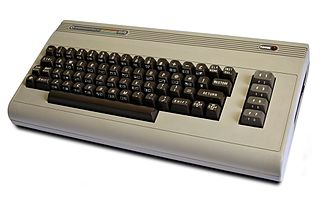
My first computer. Wherever it is, it
probably still works.
I've had nine personal computers, from a Commodore 64 in 1982, to a 386DX off-brand, a Packard Bell Pentium I, a Sony Vaio Pentium III, a Hewlett-Packard Pentium 4, a Dell Pentium 4HT, an HP Core 2 Duo, and two laptops, a Dell Celeron and an Apple PowerMac G4 15 (which I'm using now).

And I'm probably going to have to get my 10th tomorrow. My Core 2 Duo machine promptly died today, while I was away from my desk. No snap, crackle or pop. No poof, or puff of smoke. It just wasn't showing a picture anymore, and the keyboard didn't work.

My doorstop dead computer.
Nothing I've tried helps, and The Geek Squad, via telephone, thinks it's the Motherboard. So, I'm rightly pissed that my HP didn't quite make it to three years of service, and will probably be more efficient to replace than to repair.

The long and short of it is, along with social obligations, I'm going to be very busy for the rest of the weekend, and likely won't be posting much.

Incidentally, not counting the dead one, we have four computers in the house (The Other Half's desktop, my Mac notebook, the unused Celeron, and the "spare" HP Pentium 4 in the closet). All are older--some by a lot--but all are functional. The one in the worst state of repair? The other Hewlett-Packard.

Monday, October 25, 2010

Halloween Horrors: Greenlee Gazette Hit with Virus!!!

As a computer guru (that's what they call me anyway), I often roll my eyes at folks who "accidentally" install a bogus program, because they were fooled by a fake alert.  Many's the computer I've had to perform CPR upon after somebody installed one of these devious programs. Then it happened to me.

Whatever you do, don't fall for this alert.
Yesterday, I was looking up something on Google or Bing, I think it was a photo of some celebrity that was in one of the Nightmare on Elm Street movies (it wasn't porn, I swear). Anyway, I got one of those bogus alerts, but I thought I dismissed it. But afterward, I got a few legitimate alerts from my McAfee software. It was obnoxious, but McAfee seemed to be handling it ok.

Then, today, I turned on the monitor (having left the computer on), and was confronted with a Microsoft Security Alert.  Here's where I should point out that while I've had Windows 7 for a while, I have infinitely more experience with XP, Vista, 98, 95 and the rest. So, while my first tipoff should have been the verbiage in the window, and the fact that I'd never seen it before, I was fooled.  Whoever came up with the graphics for this thing is a pro.  The bogus alert told me it found a solution, but needed to restart. At this point, I wasn't yet suspicious.  Upon reboot, a window came up immediately that said: "ThinkPoint: World's Leading Security Solution."  Never having heard of this, once again, my antennae should have gone up.  But again, the graphics were terrific, including a Windows logo. 

If you get to this screen, it's too late.
That's when it started rattling off a bunch of "found" problems, and by now the combination of familiar verbiage and the familiarity of the fake scan caused panic.  I immediately hit CTRL+ALT+DEL, and was able to shut the freakin' thing down. But, after that, it doesn't let you open any programs, leaves you with a black screen, and makes you feel like an idiot.

I managed like I often do, to stumble my way through in such a way that I can't even piece together what I did to make it stop terrorizing me.  I got some hints on the interwebz, and managed to get a system restore to complete and get me around the rogue program.  Right now, I'm running every damned thing I can to make sure it's extinguished for good.  If you have run into the same thing I did, here's the site that helped me the most:  DeleteMalWare.Blogspot.com, which is where I culled the images.

By the way, the creators of this crap are downright evil. Had to be said.

EDITOR'S NOTE: Yes, I'm aware that this isn't exactly a "virus," though I suppose it sort of implants Trojan horse viruses as part of its work.  But I've found that "virus" has become a catch-all word for any malware or other PC "infection," at least by the public at large.  Kind of how my boss thinks the verb "download" is a multi-purpose word that applies to anything computer related!

Monday, October 11, 2010

IMDB.com Listing Shows Christine O'Donnell on Politically Incorrect MORE Than Bill Maher!

Screen shot from IMDB.com. Click to embiggen.
I just thought this was funny. Apparently, somebody hacked the Internet Movie Database (IMDB.com)'s listing for Bill Maher's show, Politically Incorrect.  Delaware Senate hopeful (and self-proclaimed former witch) Christine O'Donnell is listed first in appearances on PI, clocking one more than Maher himself! 
Now, the real question is, did someone really hack the site, or did CO'D cast a spell???

Original here: IMDB.com

Friday, October 1, 2010

Mac Update: My Struggles with "Switching" Continue (Take 3)

I've never had this happen before. I've written essentially the same post twice before, and both times had all of it simply vanish.  The post itself may not even be worth the effort, but having narrowed down the problem (a website that apparently doesn't want their images used, attributed or not), I'm going to give it a shot anyhow.

In my ongoing effort to teach myself the Mac OS X Leopard operating system and Adobe CS3 graphics suite, I've tried to teach myself something new every week by creating something.  So, when I needed some street signs for a blog post, I forced myself to sit at my Mac rather than my PC. Using CorelDRAW X3 on my PC, I could complete the job in just a few minutes.  All I needed was two rectangles with radiused corners, some white text, and a nice faux green reflective background. Throw in a soft drop shadow, and voila! Child's play.

Image from Corel.com.
Note the absense of clutter.
I found the project much more vexing with Adobe Illustrator on the Mac platform.  My one-off job took me an hour and a half as opposed to 5-10 minutes.  Part of the problem is just the clutter and distraction offered with the Adobe suite. I've loathed Adobe products since the old days of PageMaker. I don't like the way anything is displayed, I don't like how "import" is called "place," and I especially don't like the 1,000 palettes covering up what I'm working on. Add this to the Mac showing any open programs through all of the little gaps between palettes, and it all hits me like gibberish.

I couldn't figure much of anything out without the Help menu (which turns out to be pretty awesome).  I find this learning curve to be much steeper than the one I faced 13 years ago, when I had to apply my Corel knowledge to the Gerber Omega/Graphix Advantage Composer sign software.  The sign industry grew up on the PC platform, and I was lucky to have started there too with VP Graphics, and then CorelDRAW 2.  While clunky at first, Composer grew to adopt many similar characteristics of Corel's software.  But with Adobe, I'm a lot more adrift.  The knowledge transfers, but the learning experience is frustrating.

A screenshot of Illustrator on my Mac
But I had an epiphany while trying to write this (three times).  Since Corel allows you to set up CorelDRAW and Photo-Paint to look nearly identical to Adobe Illustrator and PhotoShop, my next lesson is going to be on the PC, but with this feature turned on.  It would be nice if Adobe offered a similar feature, but maybe I'll have an easier time of things if I'm in a familiar program while navigating unfamiliar tools. We'll see.  Meanwhile, my home schooling project is turning out to be a lot more frustrating, and a great deal less fun than I'd hoped.

Tuesday, February 16, 2010

Sarah Bristol Palin Responds to "Retarded" Family Guy Episode


Image from source, Think Progress

Oh, I just knew this was coming. On Sunday, FOX-TV aired an episode of Family Guy, where the main plotline dealt with Down Syndrome. Chris Griffin wanted to date a girl with Down Syndrome, since he'd heard they were nicer than ordinary folks. This culminated in a Broadway-style song by Stewie called "Down Syndrome Girl," followed by an actual date with the girl who--surprise!--turned out to be just as mean to Chris as all the other girls are.

Seth MacFarlane being who he is, he couldn't resist a little dig at Sarah Palin. When asked about herself, the girl tells Chris that her mother is the former Governor of Alaska. That was the extent of the joke. Never knowing when to ignore something, and going against her rule that "satire is OK," Palin--through her daughter--just had to comment.

[Excerpt]


. . .People are asking me to comment on yesterday’s Fox show that felt like another kick in the gut. Bristol was one who asked what I thought of the show that mocked her baby brother, Trig (and/or others with special needs), in an episode yesterday. Instead of answering, I asked her what she thought. Here is her conscientious reply, which is a much more restrained and gracious statement than I want to make about an issue that begs the question, “when is enough, enough?”. . .

Read more at: Think Progress


Thanks to Stupid Monkey Planet for the link.

Sunday, February 7, 2010

SNL: Rahm Emanuel's Apology

Will I post anything today that doesn't have something to do with Sarah Palin? I hope so. But not yet. This parody from Saturday Night Live, an apology from "Rahm Emanuel" for using the word "retarded" was one of the funniest bits from last night's show. I'm puzzled why it was saved for so late in the program.

Sunday, June 14, 2009

Windows Not Responding. . .Why the Hell Not?

I'm presently working on reconstructing a neighbor's infected computer, something I do from time to time. She'd unwittingly installed an "anti-virus" program which is really a scam. Insidious bugger too, tangling its feelers into all sorts of places on the computer (it's called "Personal Antivirus" just in case you ever run across it. DO NOT install it, it is garbage).

But this sort of challenge has always been fun for me, so that is not what is bugging me. The neighbor's computer is a Windows XP system, and I'm very comfortable with that. The computer I'm using at the moment is a Windows Vista Home Basic system, and my desktop computer in the other room uses Windows Vista Home Premium. Unlike many users, I really don't have much of a problem with Vista, short of a relative lack of familiarity with it, as opposed to XP or Windows 95/98/Me.

But there is one maddening element of Vista that drives me to distraction. I usually run Internet Explorer and America Online at the same time, and use them in tandem (probably much to the horror of FireFox, Mac and Linux users). I run the blog and its attendant services in IE, and do all of my reading and research in AOL. This works out great, until it doesn't. I'll ALT+TAB over to AOL from IE, and I'll get that shiny blue spinning "O" cursor, which is a replacement for the spinning hourglass. This may go on for many seconds, and out of frustration I'll click the mouse. At this point, the screen fades to white, like a fog has descended over Windows-land.

Even though this happens with some frequency, I'll try to go back to the other program. But ALT+TABBING either doesn't work, or it works in a molassessy time warp. Occasionally, if the ALT+TAB brings up the "open programs" window, it will be slightly out of focus, and frozen in place. Moving the mouse down to the toolbar only changes the cursor from the "O" to a double-edged arrow, as though it is trying to resize the toolbar. This can go on for 30, 45, even 60 seconds before the system starts to respond. And there is no consistent pattern for when it happens, and I have no idea why it happens. Always, there is a message in the title bar: "Not Responding." And my unanswered question is still: "Why the hell NOT?"

I'd chalk it up to the weak Celeron chip in my notebook computer, were it not for the fact that my desktop does this too, and it has a Core 2 Duo in it. I'm willing to concede that it might be AOL, which has always had a disturbing ability to disrupt the multi-tasking abilities of any computer. I suppose it could also be Internet Explorer 8, or maybe the interplay between the two programs. Unfortunately for me, I've grown quite set in my ways, and will likely continue with this setup, despite the frustration. But I'd still like to know what the hell my computer is actually doing when it gets stuck in one of those loops.

Saturday, March 7, 2009

I'm A PC; And I'm Irritated


We have three active computers in our household, an HP Core 2Duo desktop with Windows Vista Home Premium 64-bit; a Dell Pentium 4 desktop with Windows XP Home, and a Dell Celeron notebook with Windows Vista Home Basic. This is after some upgrading, Frankensteining and shuffling around from our previous home network, which used to be 100% Windows XP.

Now, I've been a "PC" for almost as long as Windows has been around, surely as long as it has been mainstream. I started with version 3.0, and have been a self-taught Windows "guru" through versions 3.1, 3.11 for Workgroups, Windows 95, Windows 98, Windows 98 SE, Windows Me, Windows XP Home, and Windows XP Business. As the version numbers climbed, I learned new things. Networking has always been a headache, and each new version seemed to add a layer of block-headedness when it came to things the user is "allowed" to do.

Often, a Windows user trying to use network connections (or even just change settings on a stand-alone computer) is confronted with "access denied" type messages. "Ask your network administrator" is a particularly annoying message when there isn't one. Right now, all I'm trying to do is share files and printers across my network, from my Vista Premium machine to my other two computers. And. It. Refuses.

Any attempt to add my printers to the other two computers asks for a login and password, something I do not even have. Sometimes, I can't even access files on the very computer they exist on. I had to monkey my way through the security settings to look at music and pictures right there on the hard drive. Microsoft's changing of their file structure and security have rendered this Windows "Guru" a clumsy fingered moron. So far, I haven't experienced the Windows Vista-itis that so many complain about, except for my lack of understanding about how it works "under the hood."

So, I'm off to the Google to see if I can stumble into some answers. Feel free to leave me some comments if you've found a good guide. Thanks!


Tuesday, December 23, 2008

Mac Or PC Rap (Ad Parody)

Are you a Mac or a PC? I'm unapologetically PC. From the old Amstrad 8088 with CGA screen and two 5.25" floppy drives, on up through the dual-core with Windows Vista, it's all I've used. And I'm a graphic artist, believe it or not. It ain't the tools, it's the user that is important!

I probably wouldn't be so "Mac-phobic" were it not for the snooty "I'm better than you are" attitude I've gotten from countless Mac users over the years. Still, the current ad campaign with John Hodgeman and Justin Long as the PC and Mac are a lot of fun. Sure, it casts the PC as a nerd, and the Mac as a cool guy, but come on. Long might be cute, but he's still "nerd cute."

Anyway, the ad campaign has inspired quite a few parodies. This one, which I just found on Bloggasm is pretty funny. Enjoy.

Monday, October 27, 2008

Apple Computer Pledges $100K to Fight Prop 8


Image from source, Qweerty

I was happy to see that Apple Computer has pledged $100,000 to fight Proposition 8 in California, the resolution that would take away same-sex marriage. Since I am in one of those marriages, I have a vested interest in the subject.

But being a Mac-phobe, I'm having an internal conflict (does not compute!). I mean, Apple is spending all this money and time to get us to swtich to their product. What if I was born a PC? Heh. But then again, they did have a rainbow colored logo for 20 years or so.

Anyway, good on you, Apple. And I'd really like to see the conservo-bots ditch their iPods. . . They'll have to go back to playing their Lee Greenwood on 8-track!

[Excerpt]


Apple is publicly opposing Proposition 8 and making a donation of $100,000 to the No on 8 campaign. Apple was among the first California companies to offer equal rights and benefits to our employees’ same-sex partners, and we strongly believe that a person’s fundamental rights — including the right to marry — should not be affected by their sexual orientation. . .

Read more at: Qweerty


Thursday, March 27, 2008

Software I Can't Wait For: CorelDRAW X4


Photo from Corel.com

I work in the sign industry, which means I work on a PC platform. This is counter-intuitive to most graphics people, who tend to favor Macs. The reason for this is that sign making machines, once they fully embraced the computer age, opted for the PC. While it may be theoretically possible to operate some of the machines with a Mac, it would certainly take away from the Mac's alleged ease-of-use.

This all worked out for me, because I've been using PC software for graphics almost since such programs were made available. I've used CorelDRAW since version 2. Add to that the fact that I'm a bit Mac-phobic (not scared of them, just dislike them), and also have a profound distaste for Corel's main competitor, Adobe. So I'm kind of excited by a new release from Corel.

One feature that Corel has had for a long time--and one that Adobe lacks--is the ability to set the interface to look almost exactly like the competition. So if you find yourself in front of CorelDRAW, and you are trained on Adobe Illustrator, in a few quick clicks you can be in familiar territory. The only chance Adobe has at ever converting me is to return the favor.

If you're curious about what CorelDRAW X4 (the 14th release) has to offer, here's a preview.

[Excerpt]

CorelDraw Graphics Suite X4

CorelDraw is often regarded by designers as a Creative Suite for marketing departments, but this hasn’t stopped Corel pitching it as much at creative professionals as those who create media as only part of their job. The Graphics Suite X4 bundle combines vector artwork design, page layout and image editing in a single package that costs around a third of Adobe’s equivalent package. . .

Read more at: Digital Arts

Friday, March 21, 2008

Cult of Mac: iDon't Get It


Photo from source, Cult of Mac

Despite the group of posts I've written about difficulties with PCs--usually under the banner "Computer Woes," I still don't get the Cult of Macintosh. Sure, Macs probably are easier to configure, and have less problems overall. Some of them are very pretty (though certainly not all--remember the toilet seat notebook?).

It's strange that I have such MacPhobia (iPhobia?). I'm usually a sucker for the underdog. Part of it is the air of superiority many Mac users display. Also, there is a lack of options; the monitor is often attached, or part of the case. I like options. But mostly, I think it's the over-simplification. I don't want my hand held by my computer. I like to roll up my sleeves, and tweak and change things.

I grumble and grouse a lot about getting under the hood of my computer, but the truth is, on some level I really like it. I'm thought of as something of a guru when it comes to computers, even though my powers are waning, with the speed of technological improvements. But in the (supposedly unlikely) event that a Mac breaks down, most of its users would be forced to iTrek to the Apple Store. Me, I take the sucker apart and fix it.

Lastly, I don't want to be forced into using (ugh) Adobe graphics products. iCan't stand them. I'm aware they're the "standard," but that doesn't make them better in my book. All of it is personal preference. I suppose I can take refuge in the fact that this whole Cult of Mac thing is deliriously silly. Next time a Mac addict gets high and mighty with me, I'm just going to point and laugh. See what I mean, here:


Related Posts Plugin for WordPress, Blogger...